![LOGO BLUE.png]](https://knowledge.billiyo.com/hs-fs/hubfs/LOGO%20BLUE.png?height=40&name=LOGO%20BLUE.png)
When working with a client we can restrict late punches on a client by client basis.
We will first need to turn on the company setting.
Navigation: MORE > Company > Company Settings
Go to  and click
  .
.
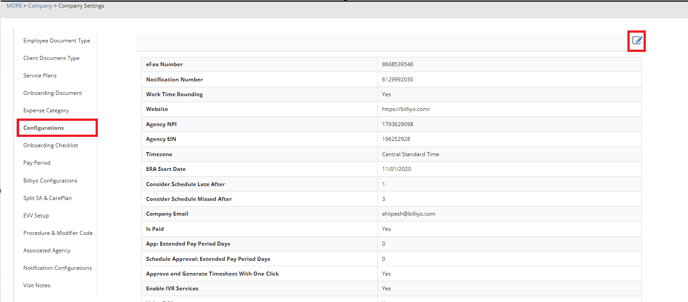
Once in the configurations page, go down to the setting
 .
.By default this setting will be turned off.
To enable it click the  and hit
  .
. 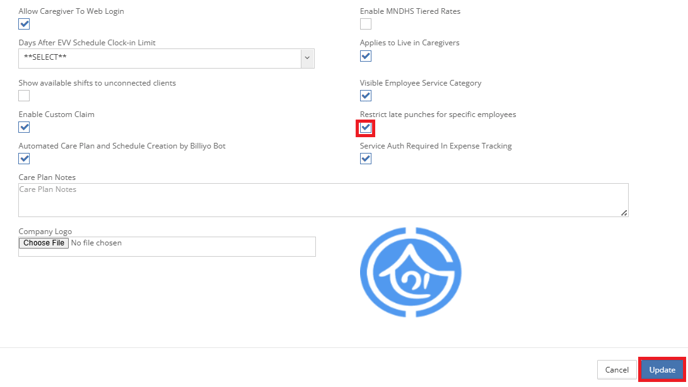 Once enabled, you will be able to restrict Days After EVV Schedule Clock-in Limit
and hit . Once enabled, you will be able to restrict Days After EVV Schedule Clock-in Limitin the client caregiver connection.
Find the Client Caregiver you want to work with and click on the  .
.
.Then click on  .
.
.The Page will open up and you can choose Days After EVV Schedule Clock-in Limit.
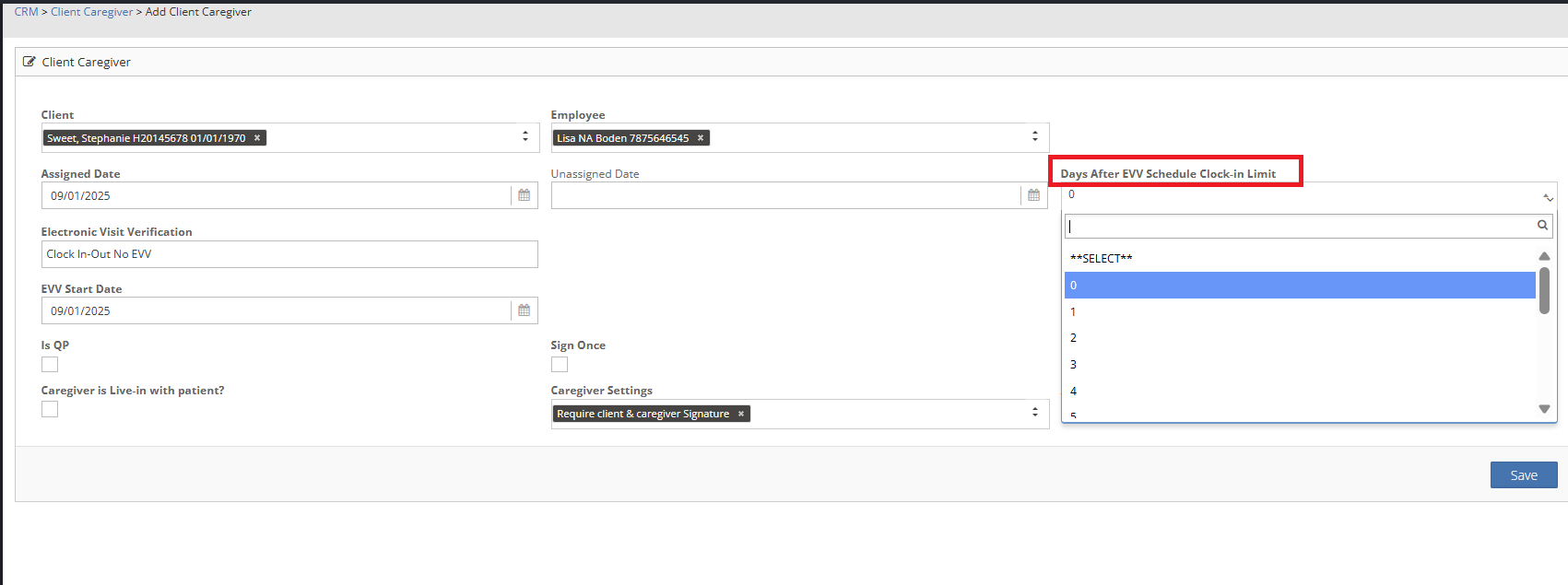
Don't forget to click  .
.
.