![LOGO BLUE.png]](https://knowledge.billiyo.com/hs-fs/hubfs/LOGO%20BLUE.png?height=40&name=LOGO%20BLUE.png)
Click here to learn how we can create a new user account
View/Edit a User Account
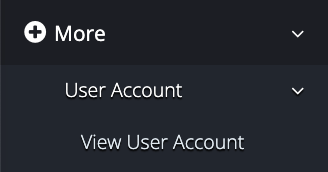
To view or edit a user account, head to More > User Account > View User Account.
Locate the user account and click on the + sign.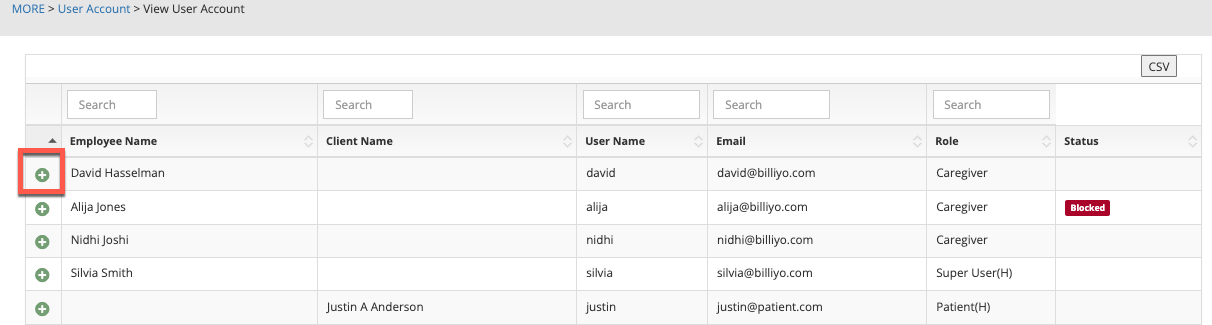
To edit the user account, click on the Edit User Account button. 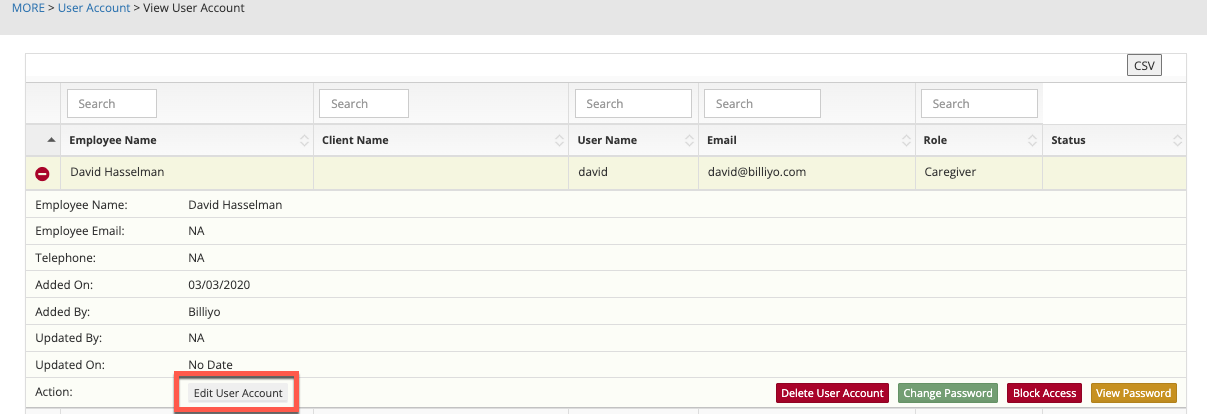
Under the expanded menu the option to delete, block access (or approve access if the account is blocked), view password, and, if the account is for a caregiver, change password will also appear.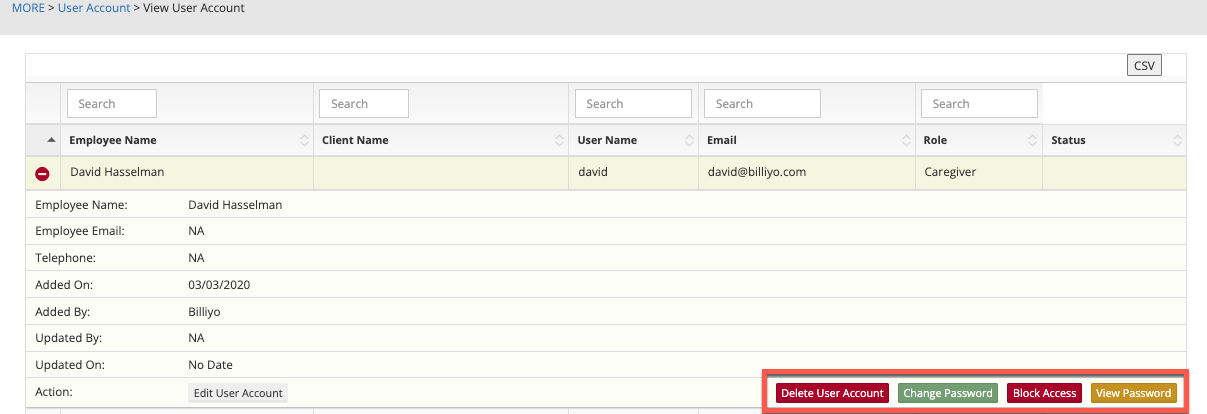
If a caregiver creates their own user account via the Billiyo for Caregiver app, the user account will need to be approved by clicking on the Approve Access button that appears where the Block Access button shows in the above image.