![LOGO BLUE.png]](https://knowledge.billiyo.com/hs-fs/hubfs/LOGO%20BLUE.png?height=40&name=LOGO%20BLUE.png)
A timesheet can be generated successfully, but later fail during claim preparation.
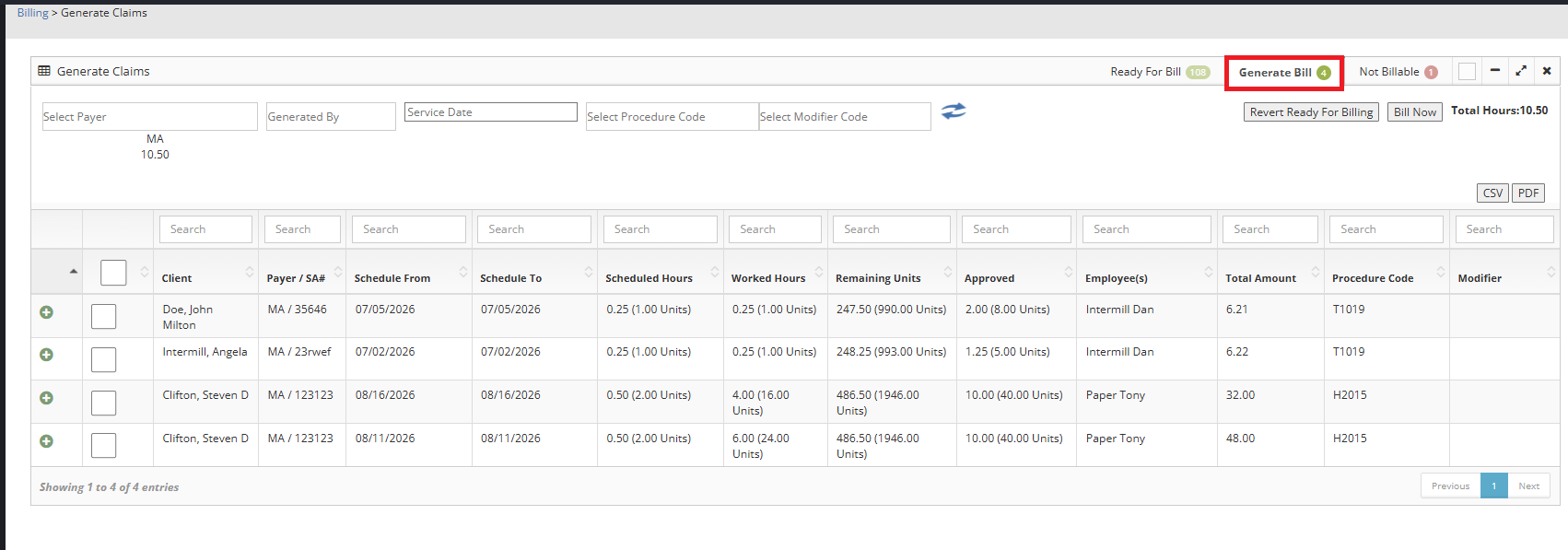
In Billing, the timesheet may move to Ready For Billing first and then appear under Not Billable with the reason Service Verification Failed.
This happens when the related Service Verification information is incomplete or indicates that the caregiver was not confirmed as present.
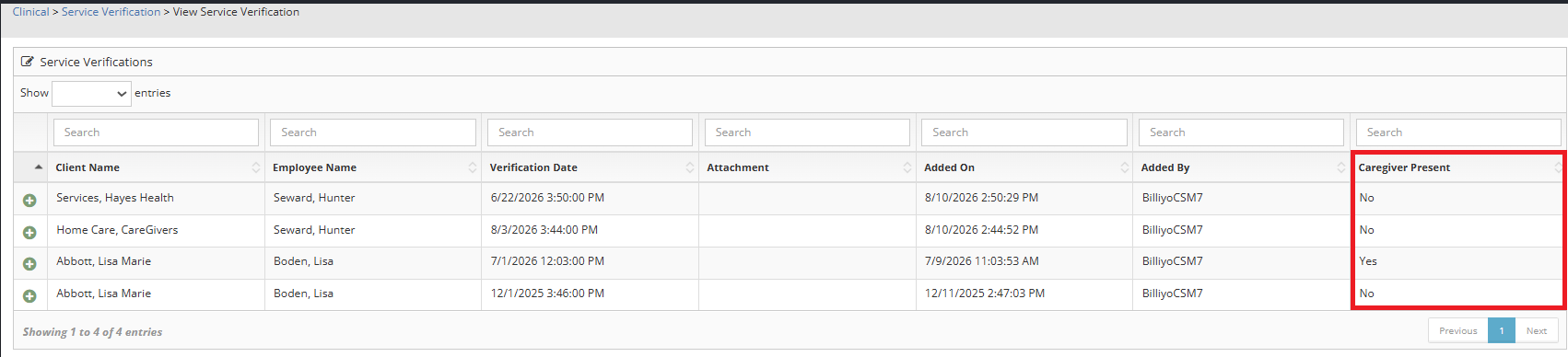
To view the service verification, head on over to Clinical>Service Verification>View Service Verification.
In the Caregiver Present Column you will see the caregiver was marked as No, for not present.
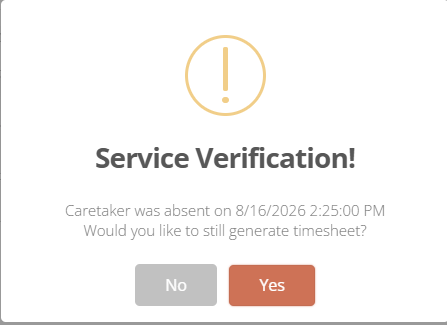
You will get a warning on timesheet generation.
If this is true the Claim will go to Not Billable in the Generate Claims Page once you click  .
.
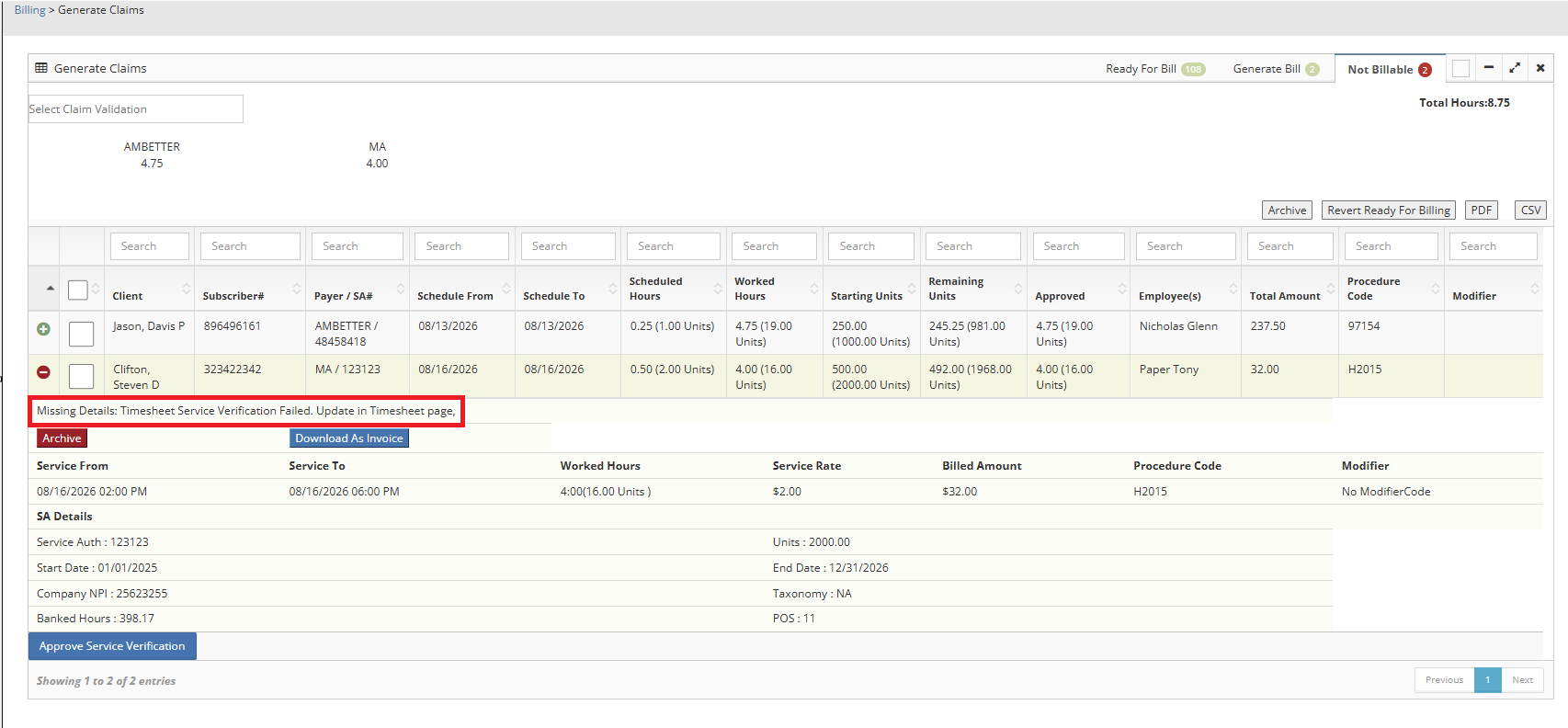
To resolve this you can:
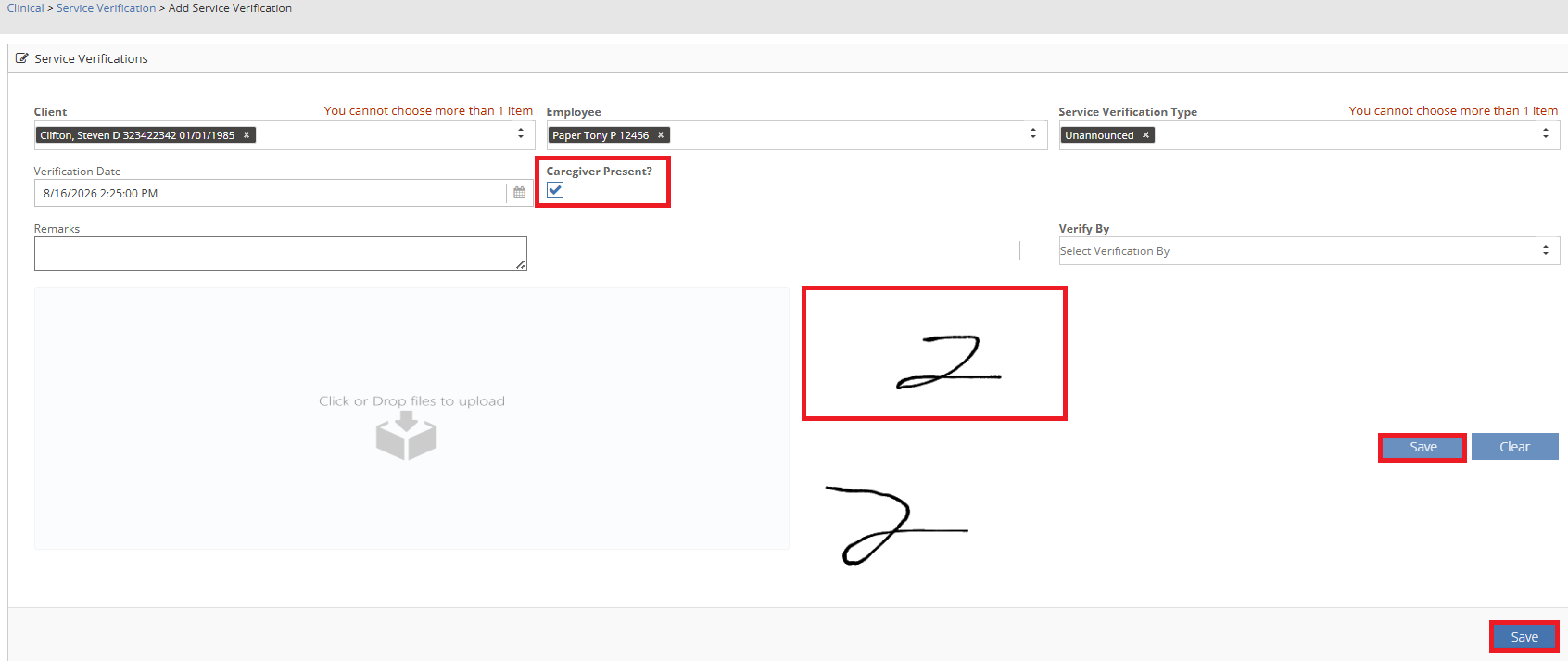
Go to the Service Verification Page and Mark the Caregiver Present and then Regenerate the Timesheet.
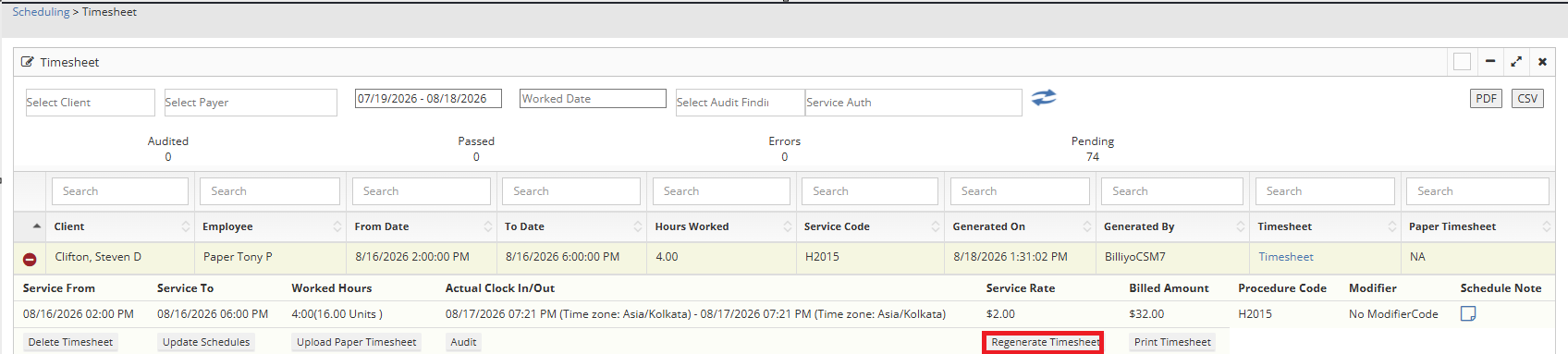
Or click on in the Not Billable claim  .
.
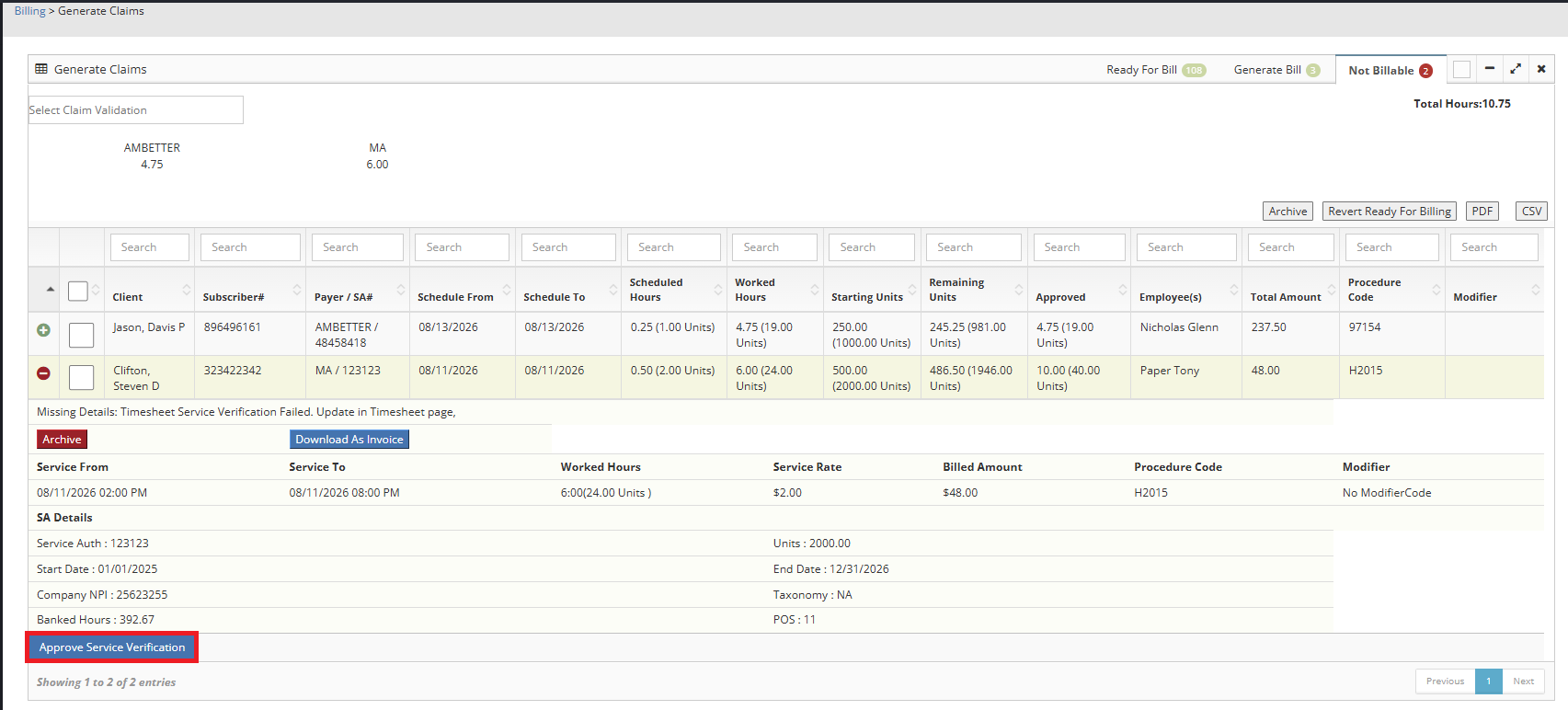
Taking either of the above actions will move the claim from the Not billable Tab to the Generate Bill Tab.