![LOGO BLUE.png]](https://knowledge.billiyo.com/hs-fs/hubfs/LOGO%20BLUE.png?height=40&name=LOGO%20BLUE.png)
Check with your payer first to ensure these visits are compliant.
To Enable the Feature, Head on over to More>Company>Company Settings.
Click on the Configurations Tab.
Then click on the  .
.
Scroll down to the settings.
Checking the box next to each setting will enable this feature.
Don't forget to click  .
.
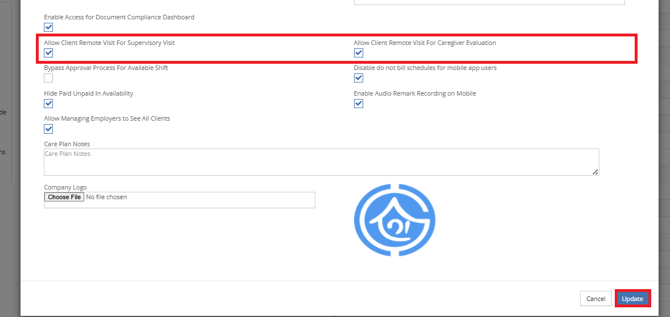
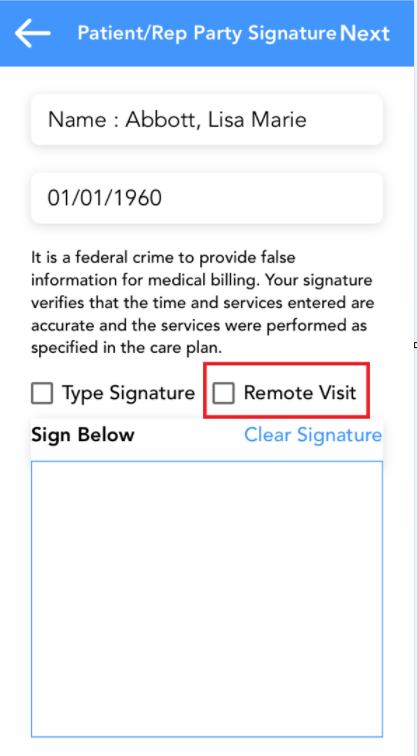
When enabled the mobile application user will have the option to check a box for "Remote Visit" on the client signature page.
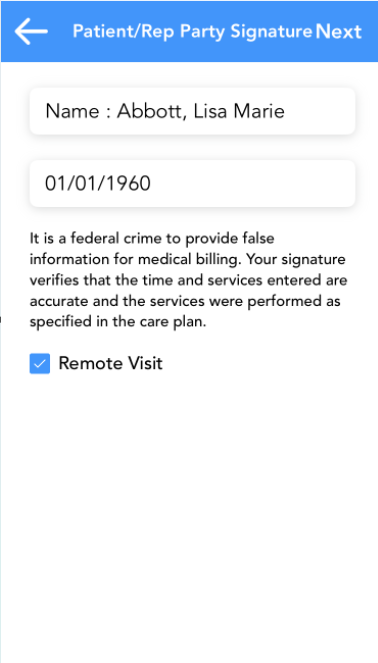
Once the box is checked, the client signature box will disappear.
In the back office/web portal, head on over to Clinical>Clinical Forms>View Forms.
To view the PDF of the Form click on the action button.
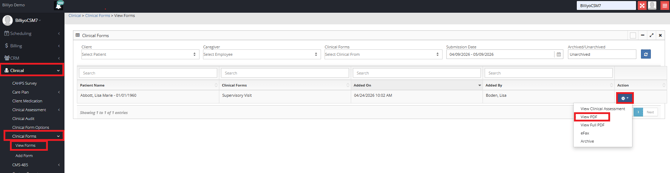
Once the PDF is open you will see "Remote Visit" in the Client Signature Field.

To learn more about Supervisory Visits and Caregiver Evaluations, please visit our article: Supervisory Visits and Care Giver Evaluations.