![LOGO BLUE.png]](https://knowledge.billiyo.com/hs-fs/hubfs/LOGO%20BLUE.png?height=40&name=LOGO%20BLUE.png)
In order to send and receive faxes, the agency must be signed up for our Billiyo Communications Package.
Patient Dashboard is only enabled for our skilled agencies, for non skilled agencies please refer to the client profile communications feature. To learn more visit our page: Here.
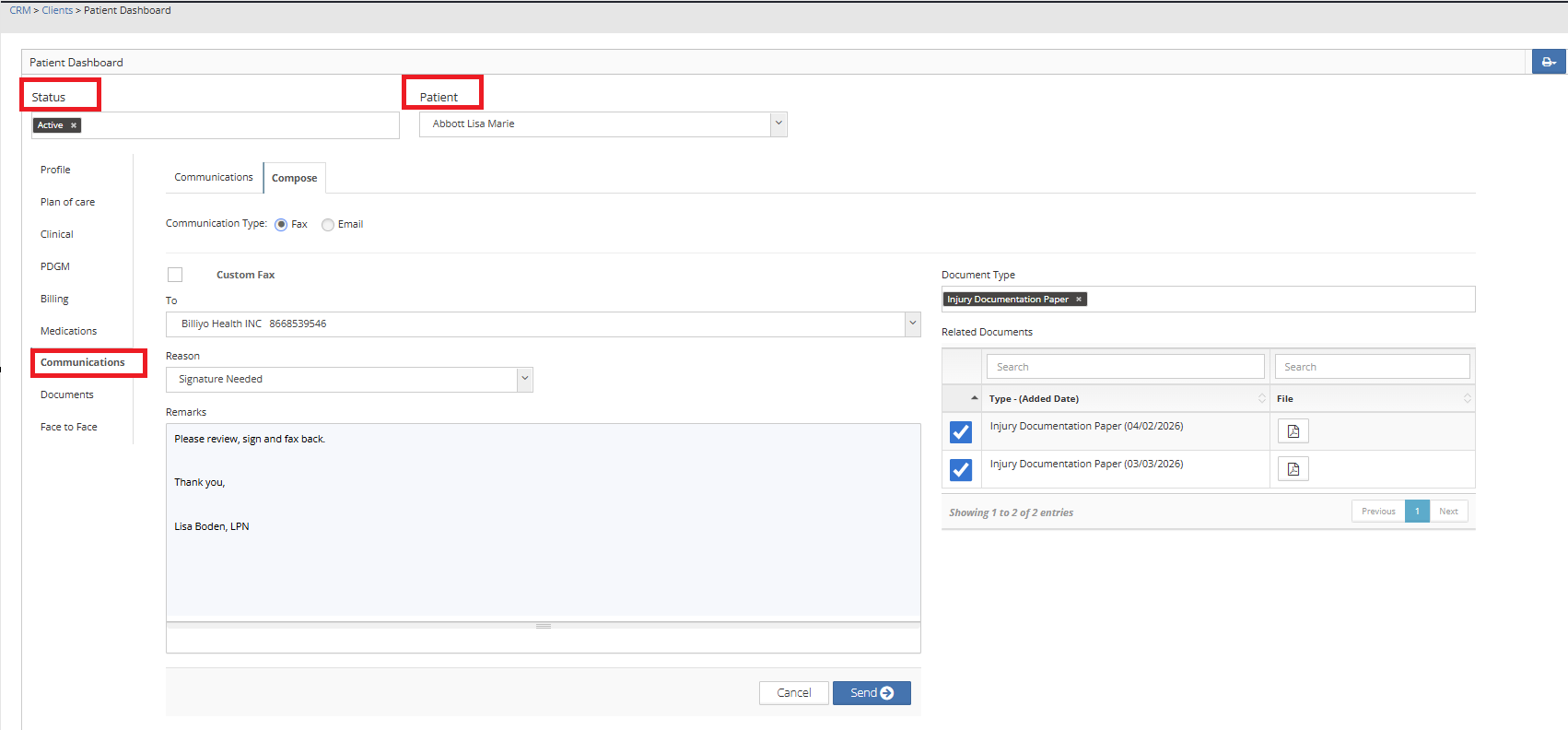
To email or fax a document from the patient dashboard head to CRM > Clients > Patient Dashboard.
You can search by patient status and patient.
once in the Dashboard you will land on the patient profile.
Click on the Communications Tab..
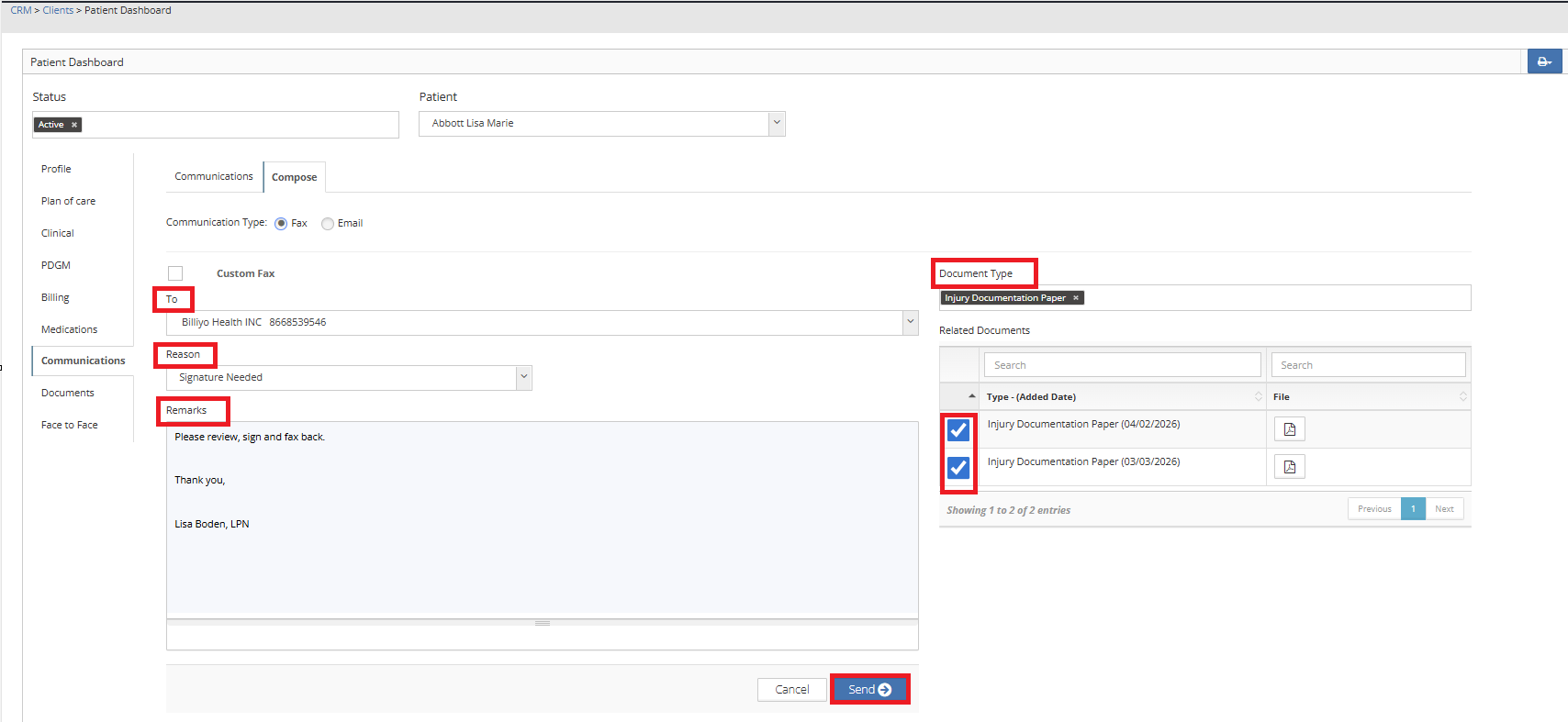
Here you can choose to fax or email the document.
For Fax, choose Fax.
For email, choose email.
If you are faxing or emailing to a contact not listed in your Contact Masters, you will choose custom fax/email.
For Patient Contacts that exist in the Contact Masters, choose from the drop down in the "To" section.
To Learn more about Contact Masters, please visit our page: Here.
Then search for the document type that you wish to send.
If the document exists in the patient profile, documents tab, it will appear in the left side of the screen for you to choose.
Click the Check box for the document you will to send, you can choose multiple documents.
Choose the Reason for your fax/email.
Type your message.
Once you are satisfied with your choices, click on  .
.