![LOGO BLUE.png]](https://knowledge.billiyo.com/hs-fs/hubfs/LOGO%20BLUE.png?height=40&name=LOGO%20BLUE.png)
In Billiyo, The Tiered Rate is added to the base charge of a PCA/CFSS Claim. MN DHS provides the tiered rate information. Every Monday, the Billiyo system automatically checks for updates that were made by MN DHS.
Tiered rates are enabled by default for Minnesota.
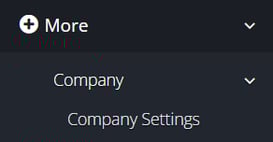
To find the MN Tiered Rates setting, head to More > Company > Company Settings.
Once in Company Settings, select the Configuration tab. To edit configurations, click on the Pen and Pad on the top right.

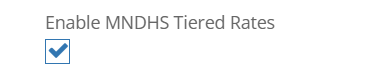
The setting is titled "Enable MNDHS Tiered Rates".
Where to find the Employee's Tier Level?
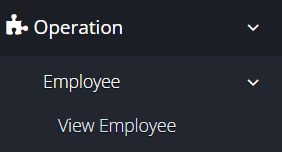
In the employee's profile, we display their current Tier Level. To head there, please go to Operation > Employee > View Employee.
When you get to the page, the table will display the employees' tier levels.
We are then able to enter an employee's profile to see the actual % that will be added to the base rate.
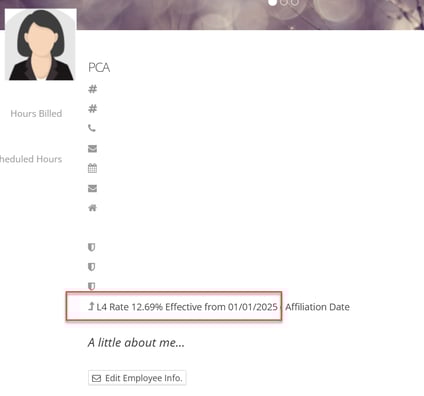
The calculation being done when billing is: Units x (Service Auth Rate + (Tier Rate %/100))
Example of an employee with the tier L4:
10 Units x (6.22+(12.69/100)) = 10 Units x 6.34
Billing
When in Generate Claims, claims will include the updated charge amount using the calculation above. They will bill with the charge amount shown. The employee's Tier Level is also shown on the claim.
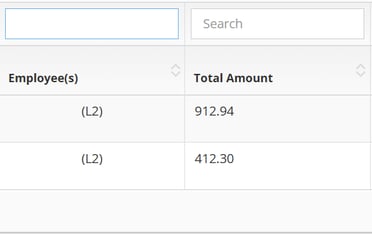
On the Claim Detail Report page, the employees' Tier Level and updated charge amount is shown on the claim.
You can find more resources on Tier Rates listed below:
More information can be found on MN DHS' website here
Mass Tier Rate Change(found on pg.77)