![LOGO BLUE.png]](https://knowledge.billiyo.com/hs-fs/hubfs/LOGO%20BLUE.png?height=40&name=LOGO%20BLUE.png)
Things change. In Billiyo you can update info for your agency.
Things you may need to update: Address, Website, EIN, Agency Telephone Number, Company Email, etc. can all be edited here.
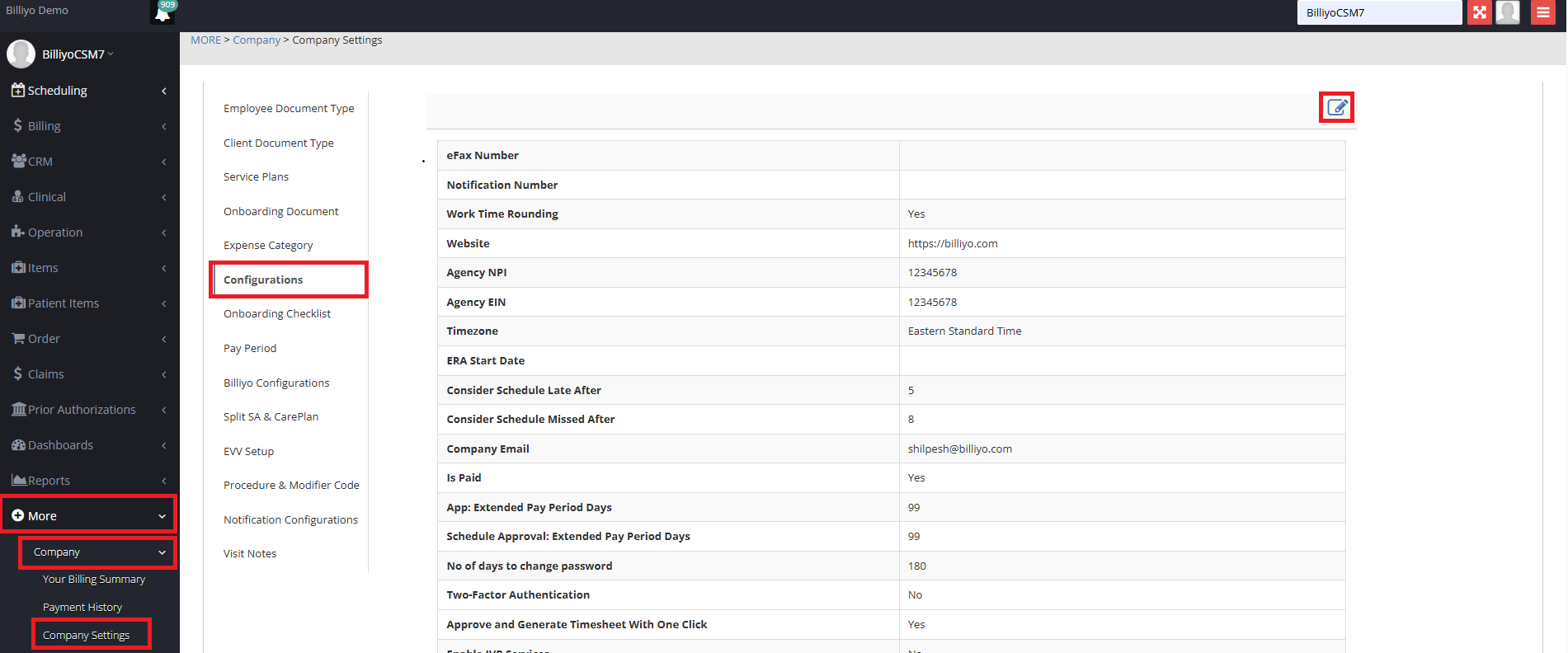
Navigation: More>Company>Company Settings
Click on the Configurations Tab.
Click on the Pencil Icon.
A Pop Up will open where you can make edits.
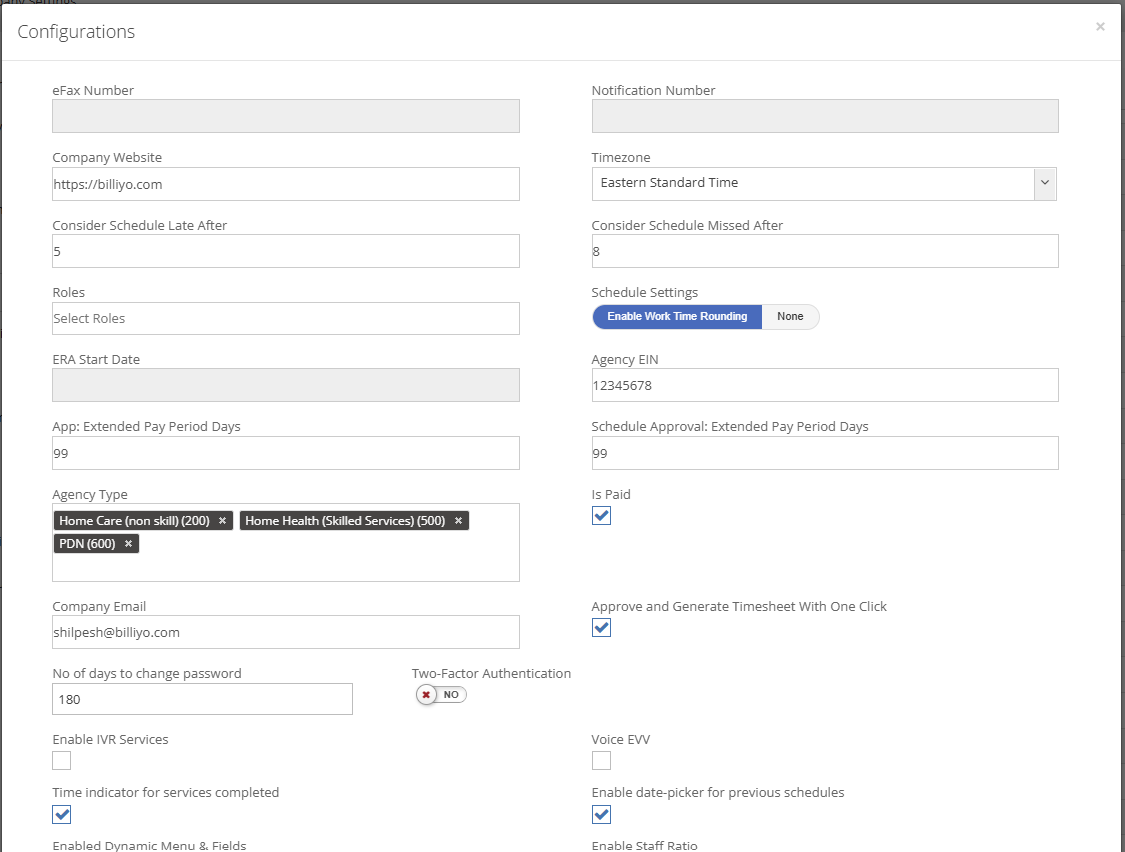
Once you are satisfied with the changes scroll down to the bottom of the page and click  .
.