![LOGO BLUE.png]](https://knowledge.billiyo.com/hs-fs/hubfs/LOGO%20BLUE.png?height=40&name=LOGO%20BLUE.png)
There are two ways to recover your account.
- Forgot your password option on web & mobile apps
- Super users can change the password in view user accounts screen.
On the app.
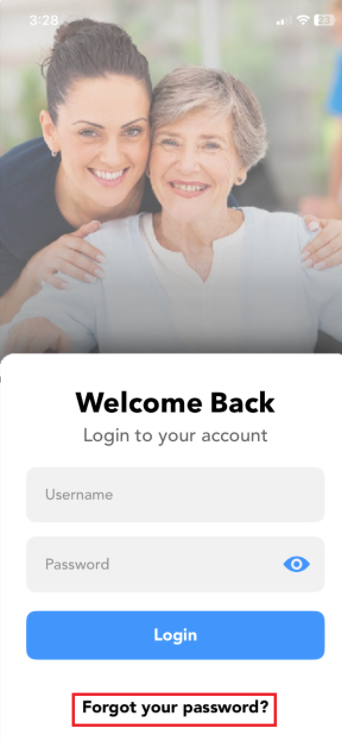
To recover your account, click on 'Forgot your password".
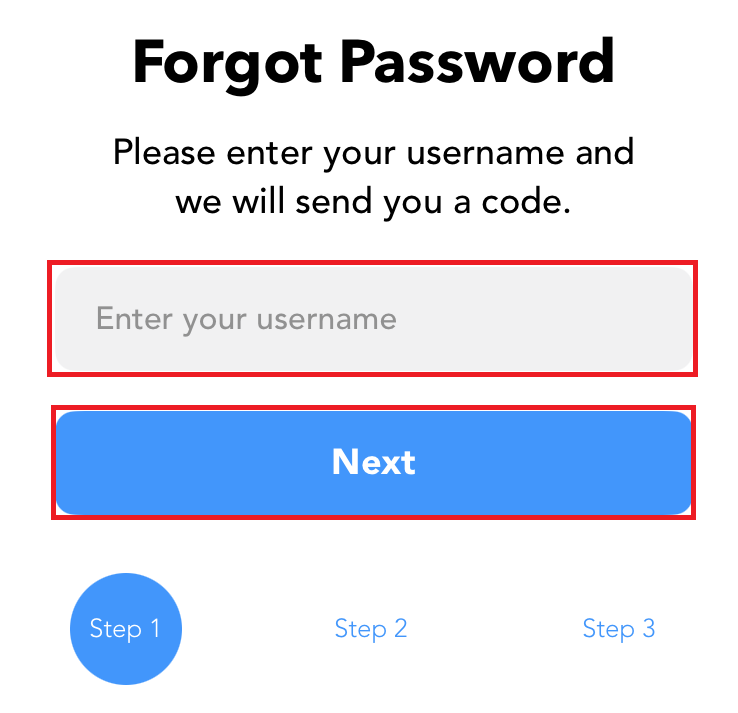
Then enter your username.
Then click on "Next".
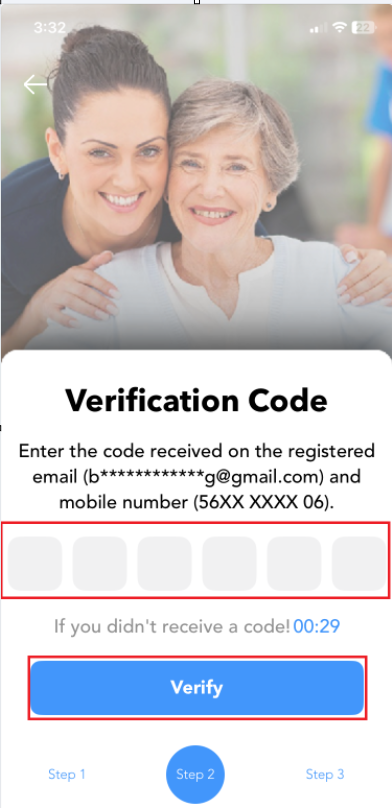
You will receive a code on your email and text.
Enter the code and click on "Verify".
This will take you to the last step where you can reset your password.
Enter the new password
Confirm the new password.
Click on "Reset".
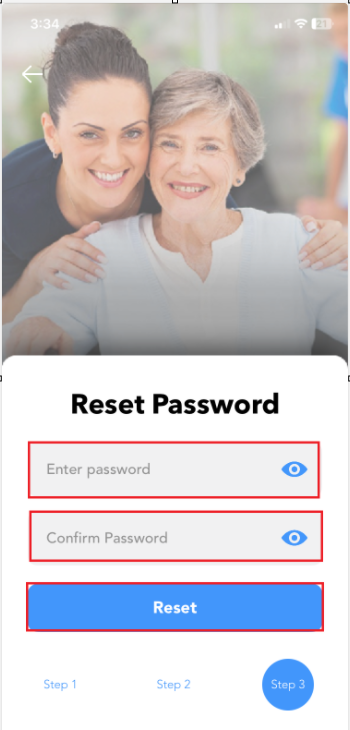
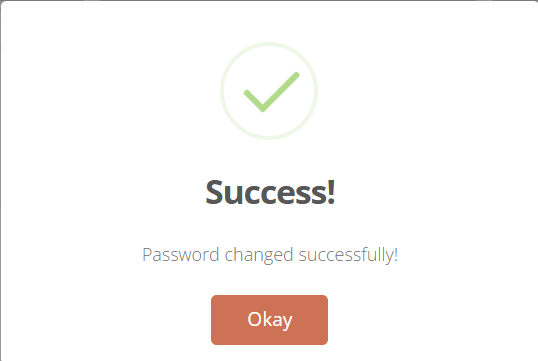
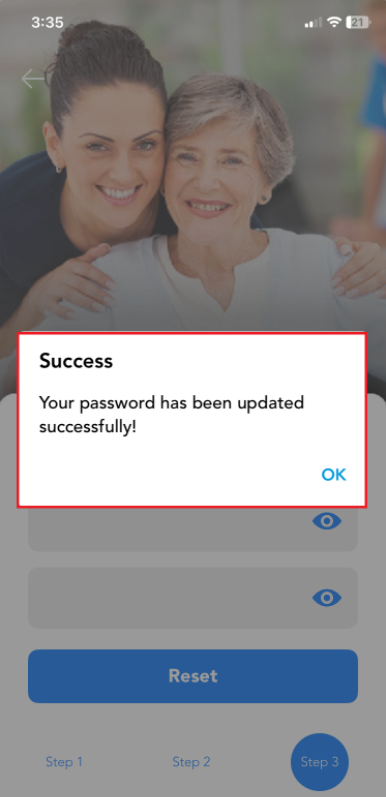
You will receive a success message.
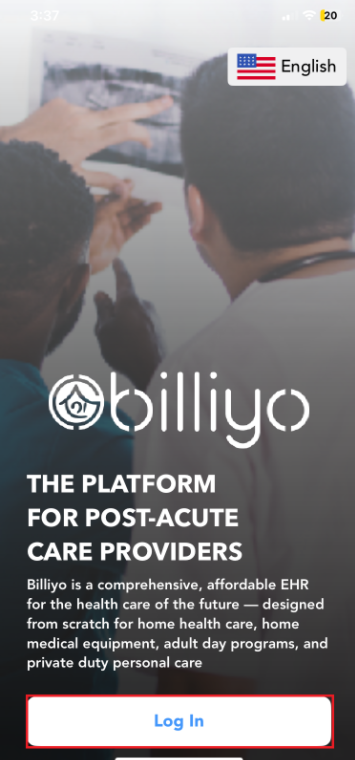
Now go back to log in and log in with your new password.
On the web.
To recover your account, click on 'Forgot your password".
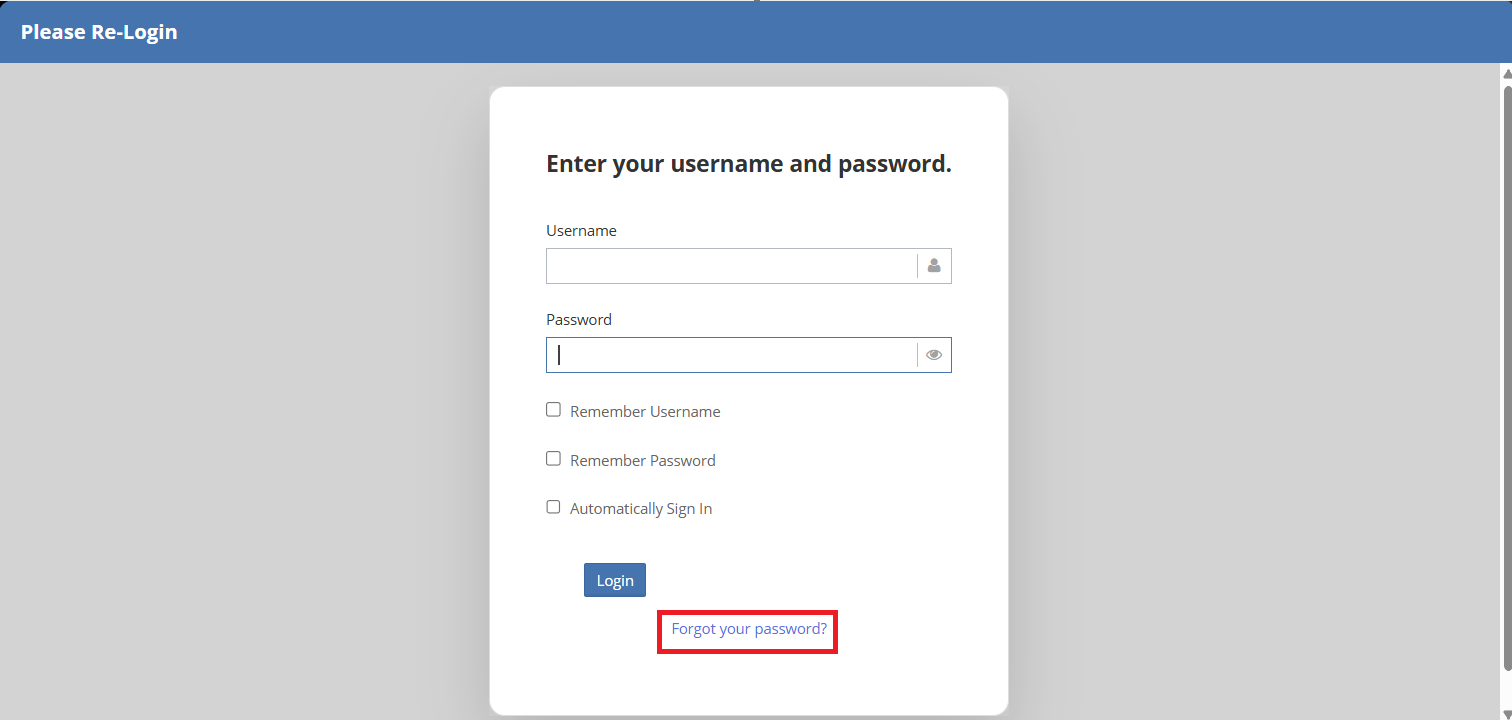
Then enter your username.
Then click on "Next".
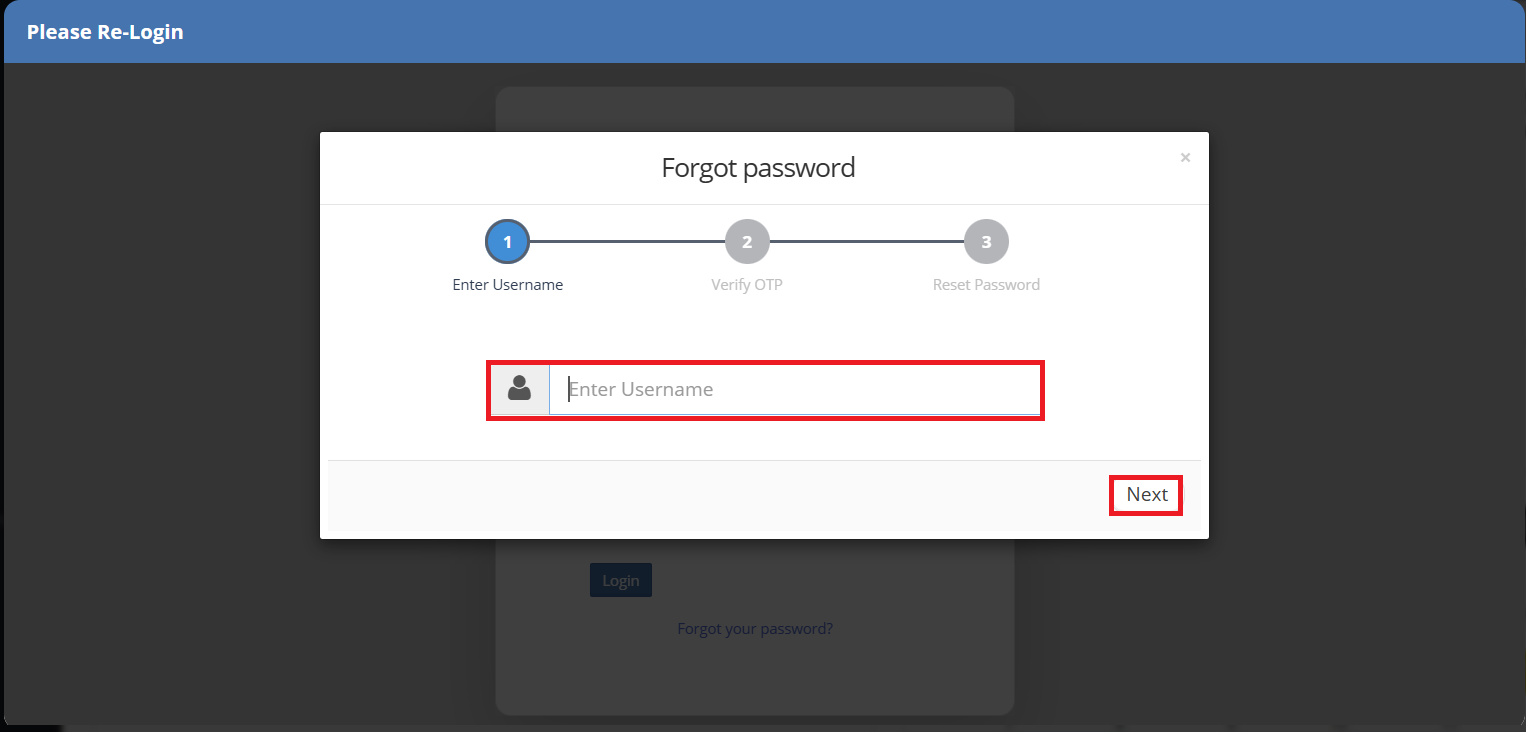
You will receive a code on your email and text.
Enter the code and click on "Next".
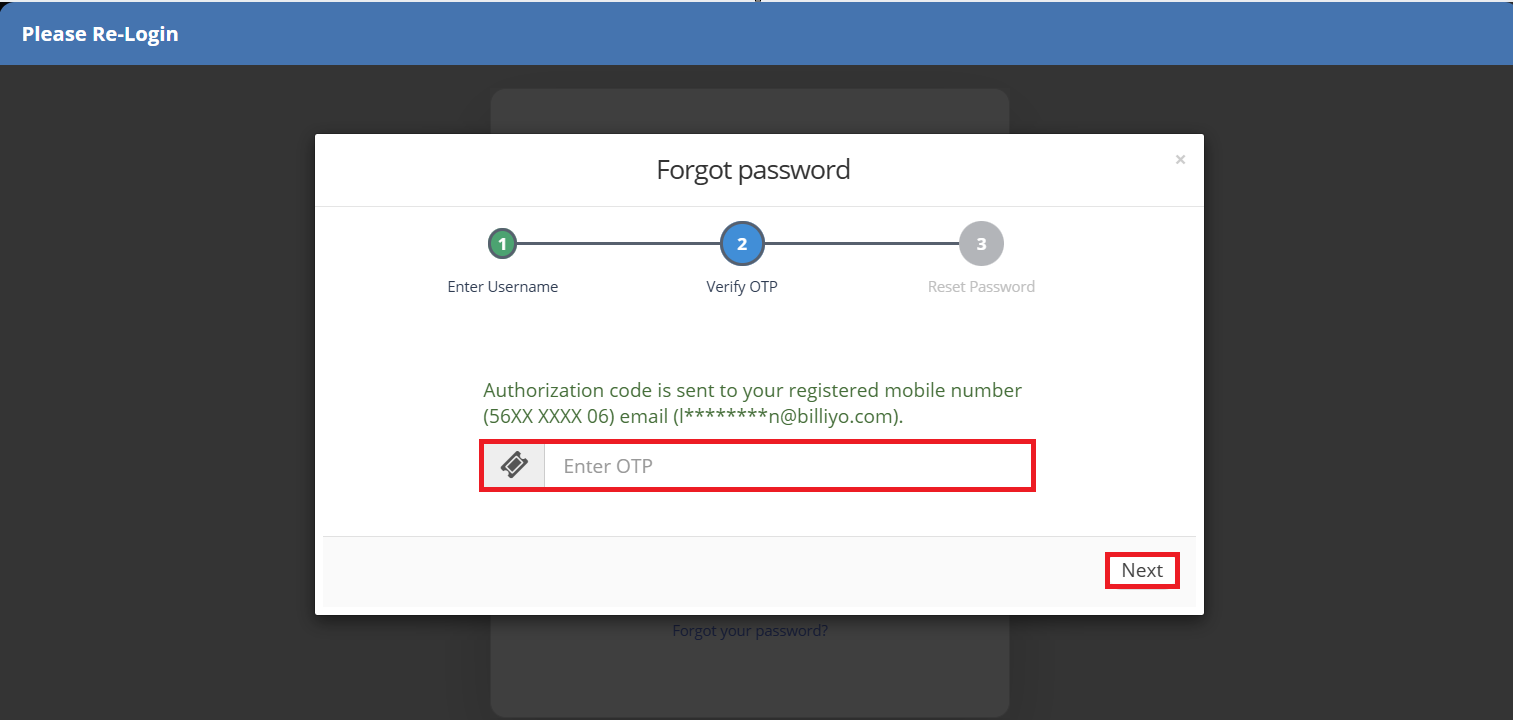
This will take you to the last step where you can reset your password.
Enter the new password
Confirm the new password.
Click on "Finish".
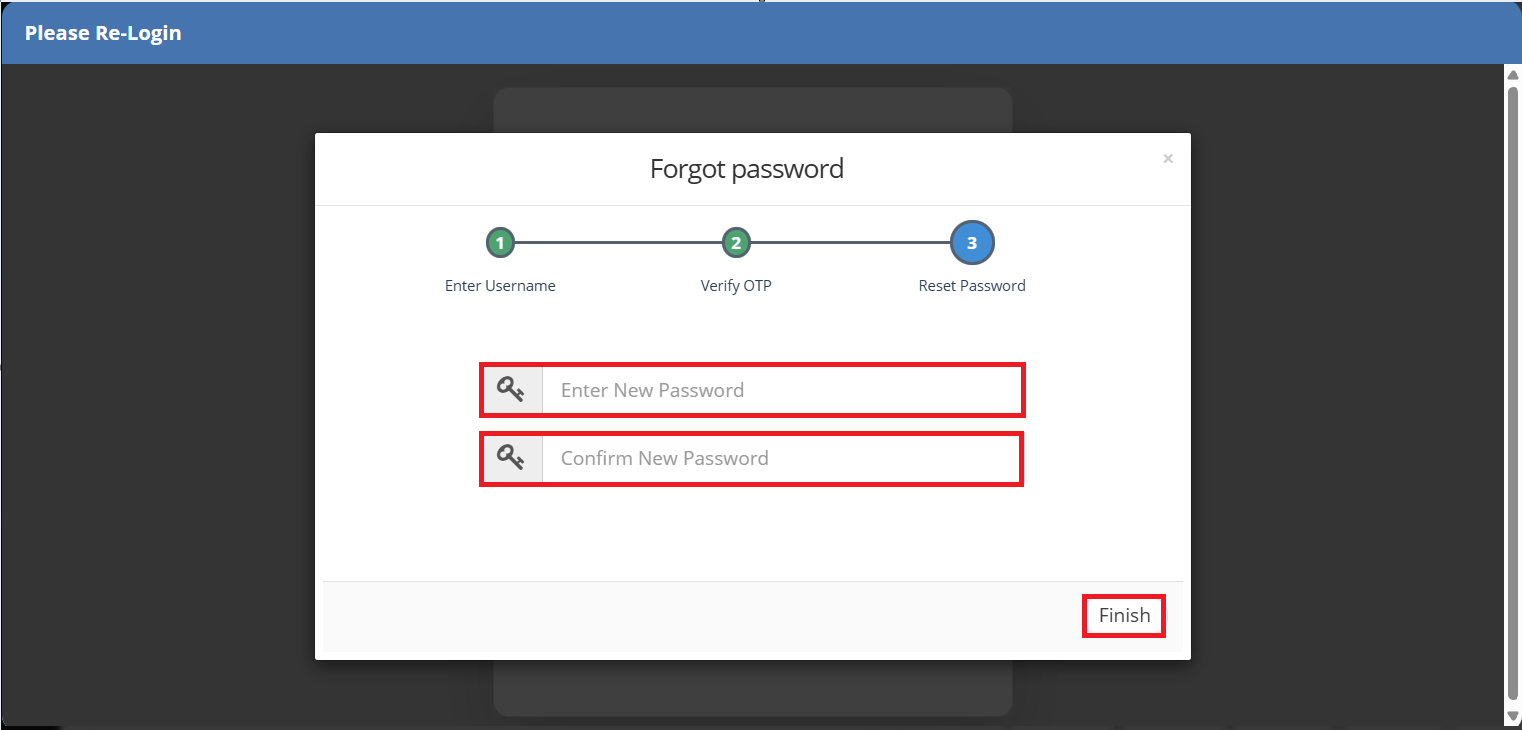
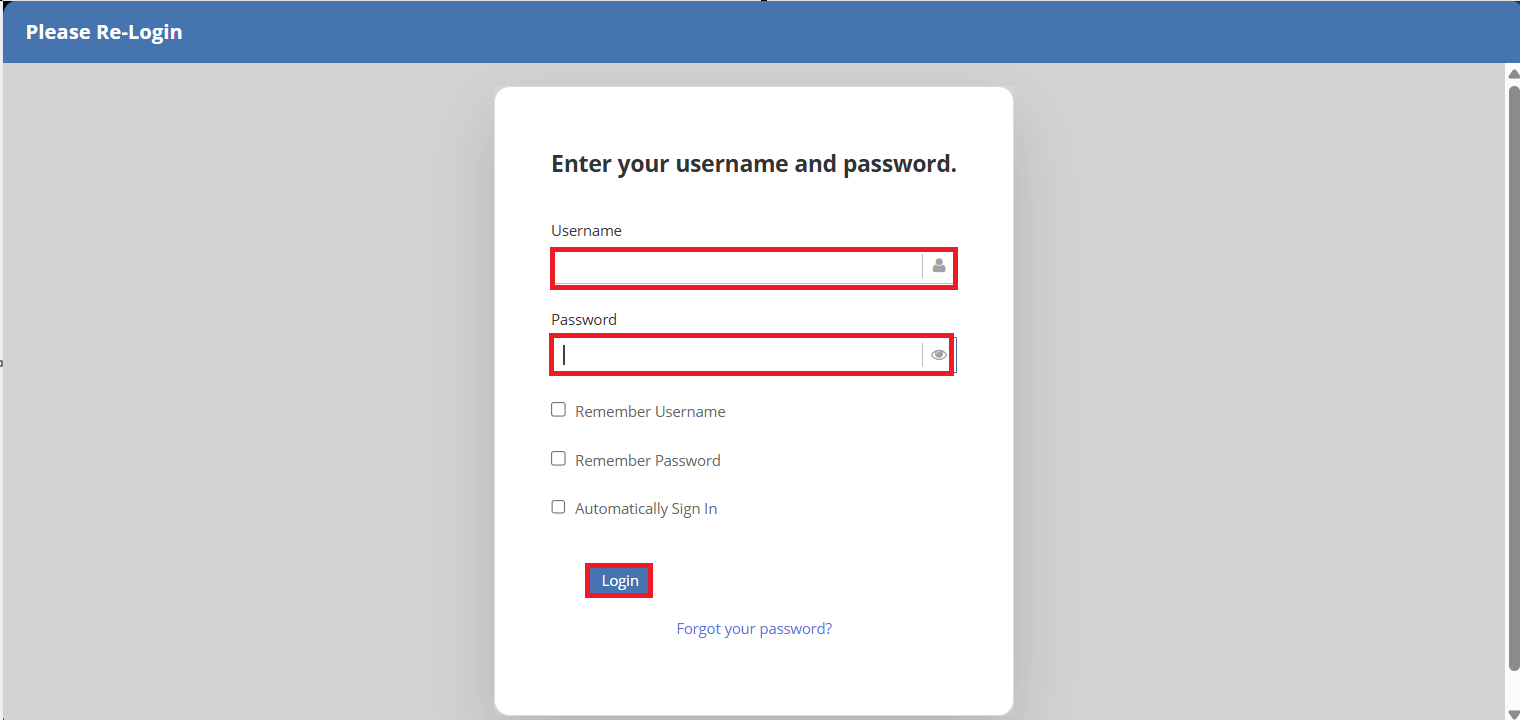
You will get a quick success message and be taken back to the log in screen.
Now you can enter your username and log in with your new password.
 Another way to reset your password is to contact the agency.
Any super user can reset a password.
Note: A super user cannot reset another super users password. Contact your Billiyo CSM for assistance.
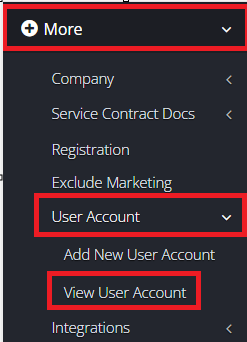
An agency super user will head on over to More>User Account>View User Account.
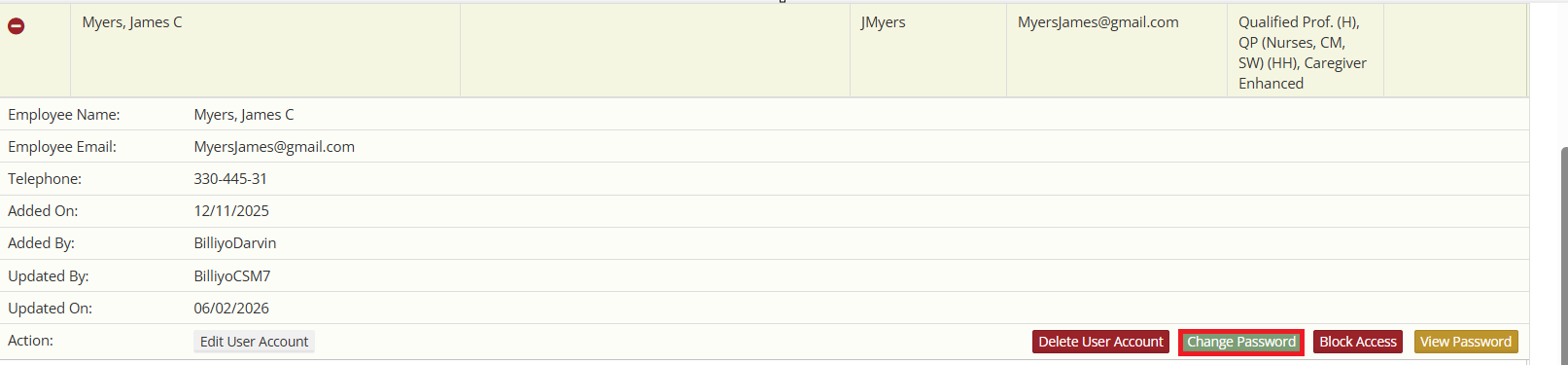
Click on the  next to the user that needs a reset.
Here you will choose  .
.
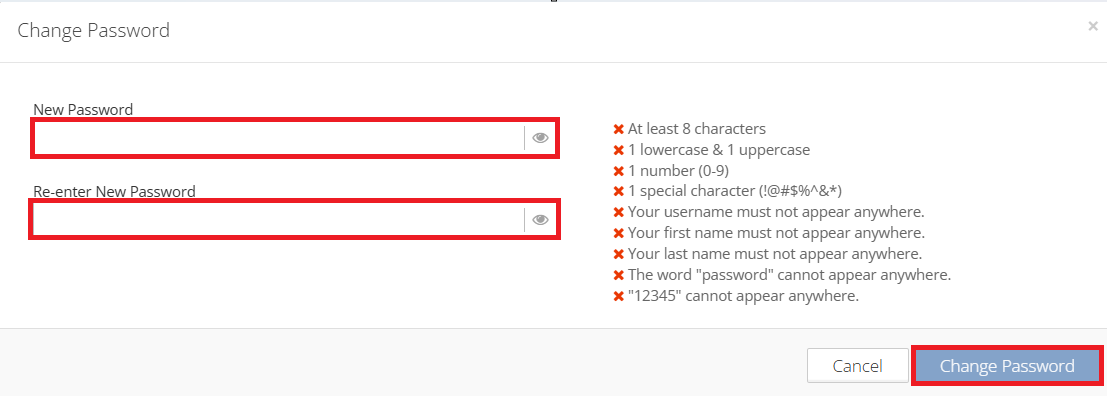
Enter the new password.
Confirm the new password.
Click  .
.
You will get a success message.