![LOGO BLUE.png]](https://knowledge.billiyo.com/hs-fs/hubfs/LOGO%20BLUE.png?height=40&name=LOGO%20BLUE.png)
Jump To
Navigation
Review Current Claims
Review Future Financials
To review and manage an individual claim, please refer to the claim detail report.
Navigation
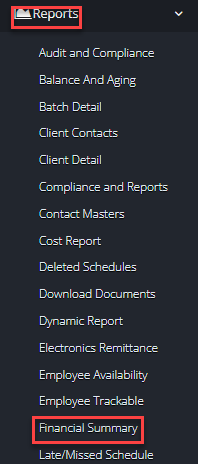
To see your Financial Summary Report, please head to the left menu and then navigate through:
Reports > Financial Summary
Review Current Claims
In the page that loads up we can your finances broken down payer. 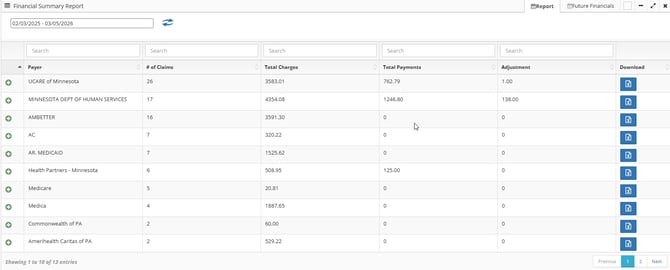
By default, this report will show your financial information for the past Month. To adjust these dates we can use the filters at the top of the page.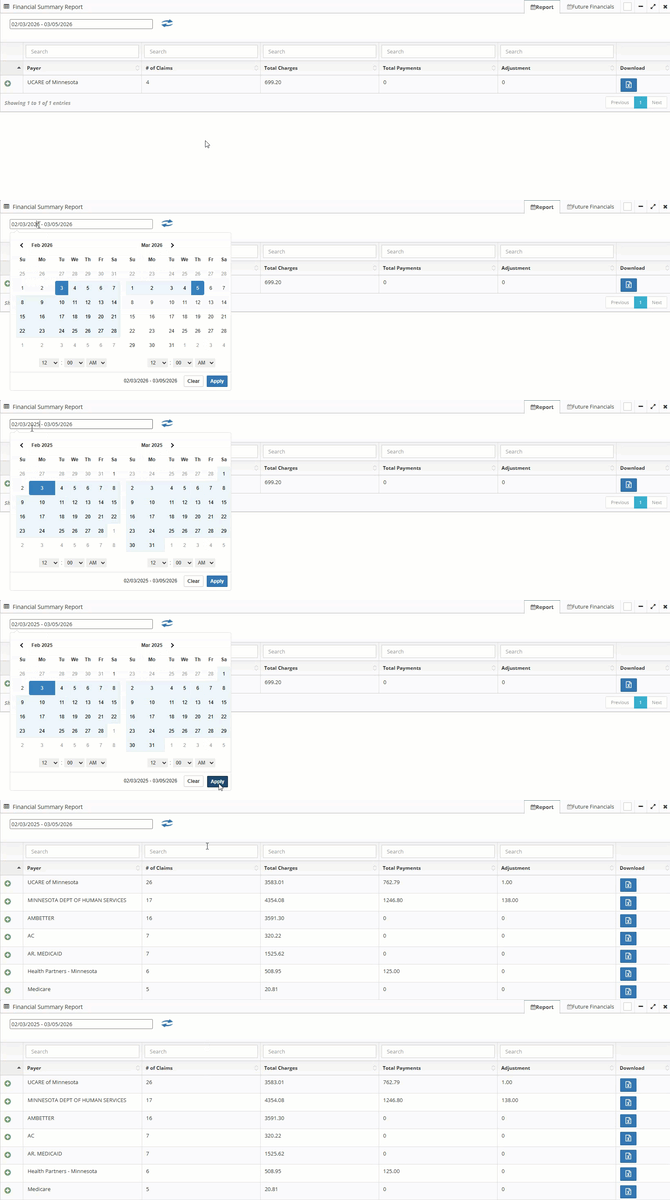
The Financial Summary report shows:
-
Payer - Name of the payer
-
# of Claims - How many claims were sent to the payer in the selected date range
- Total Charges - How much money was requested from the payer by the claims in the selected date range
- Total Payments - How much money was paid in the selected date range
- Adjustments
- Download - Download a CSV (spreadsheet) that shows the claims that were sent to your chosen payer.
- To download this report, please hit the blue download button.
Review Future Financials
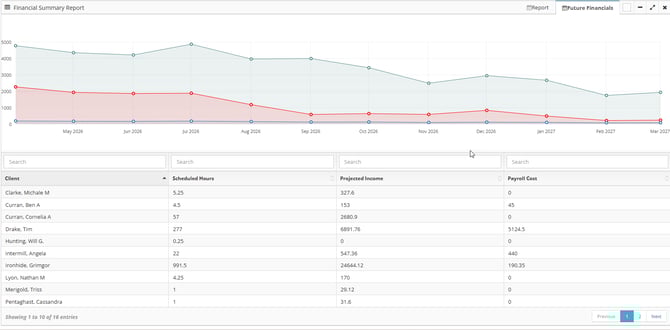
To see an estimation of your projected income we can click into the "Future Financials" tab.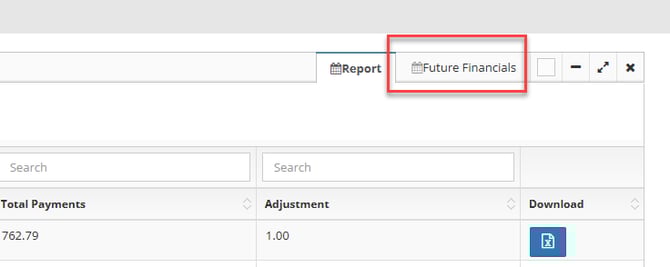
In the page that loads up, we will see both a graph and a table.
Graph
In this graph there are three lines.
-
Blue line - The number of hours that have been scheduled to be worked
- This number is pulled from the "Entered" visits in your scheduling page
- Red line - The dollar amount that is expected to be paid to your employees
- This number is calculated by combining your scheduled hours with the pay rate that is entered into the employee profile
- Green line - Your total income
- This number is calculated by combining your claim's service rate with the scheduled hours.
Table
In the table below, we can see your expected income based on client. This table shows:
- Client Name
- Scheduled Hours - How many hours have been scheduled with the client
- Projected income - Money you will receive from working the visits that are scheduled
- Payroll cost - What you will be spending on employees to work the schedule you've made
When the projected income is more than the payroll cost, then we anticipate that you will be paid more than you will spend on employee payroll.
When the projected income is less than the payroll cost, then we anticipate that your agency will spend more on employee payroll than your are paid.