![LOGO BLUE.png]](https://knowledge.billiyo.com/hs-fs/hubfs/LOGO%20BLUE.png?height=40&name=LOGO%20BLUE.png)
Table of Contents
The "EVV Compliance Report" Tab
The "EVV Compliance Report" tab is helpful for reviewing EVV schedule details and provides analytics to help keep tabs on compliance.
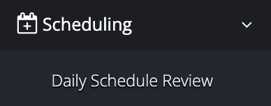
To view the "EVV Compliance Report", click here or navigate in the left menu to:
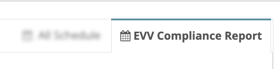
Then, click on the "EVV Compliance Report" tab in the upper right corner.
- Use the filters to search for a specific date range, employee and schedule status. Click on the
 button to refresh the results in the table after filtering.
 - Download a PDF of the table results by clicking on the
 button.
 - Download a CSV file of the table results by clicking on the
 button.
 - Click on each heading below the filters to reveal additional information.

- Click on the
 next to a line in the table to see additional information about the schedule.
The "EVV Exception" calculation
(Manual edits + Manual clock in/outs + "Swipe" schedules) ÷ Total schedules x 100
The "EVV Report" Page
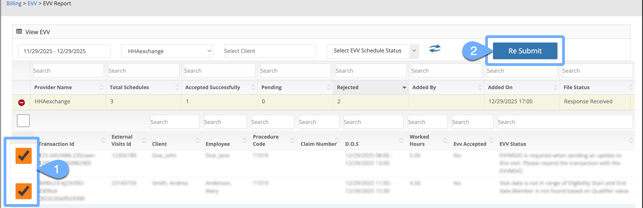
The "EVV Report" page is used to review EVV schedule submission data to verify that it has been accepted by the data aggregator. This location is also where rejected EVV visit reasons can be found, and where rejected visits are resubmitted from.
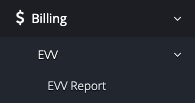
To view the "EVV Report" page, click here or navigate in the left menu to:
- Use the filters to search for a specific date range generated, data aggregator, client and schedule status.
- Click on the next to a line in the table to reveal information about the schedules within the batch.
While reviewing schedules within a table line, if a visit was not accepted you'll see "No" appear under the "EVV Accepted" heading. Review the data under the "EVV Status" column to help determine what needs to be corrected.
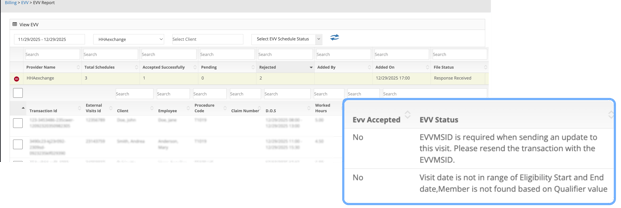
Once necessary corrections have been made, click on the checkbox next to the schedule(s) and then the  button to resubmit them to the data aggregator.
Dynamic Reports
To access the "Dynamic Report" page, click here or navigate in the left menu to: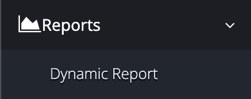
To create a new report, click on the  button.
Information about EVV reports available:
Category: Schedule
Report: EVV Batch Report
Can be used for: Reviewing EVV submission acceptance / reason for non-acceptance
- "Provider" & "Generated Date" are required filters
Category: Schedule
Report: EVV Schedule Report
Can be used for: Reviewing EVV schedule details
- No specific filter is required, but one (1) does need to be selected.
Category: Schedule
Report: Manual Edit Report
Can be used for: Reviewing EVV schedules that have a "Reason of edit"
- No specific filter is required, but one (1) does need to be selected.
- Date range filtering is limited to a maximum of a 30-day period.
Category: Schedule
Report: Missing EVV Setup
Can be used for: Reviewing information needed for EVV that's missing from profiles
Category: Compliance and Audit
Report: EVV Compliance Report
Can be used for: Reviewing manual edit percentage based by employee
- No specific filter is required, but one (1) does need to be selected.
- This report is only available for agencies in Minnesota at this time.
- Live-in caregivers are excluded.
Category: Compliance and Audit
Report: EVV Schedule Report
Can be used for: Reviewing EVV schedule details
- No specific filter is required, but one (1) does need to be selected.
For all reports:
- Click on the next to a line in the table to reveal more information.
- Click on the
 button to download a PDF of the report
 - Click on the
 button to download a CSV file of the report.