![LOGO BLUE.png]](https://knowledge.billiyo.com/hs-fs/hubfs/LOGO%20BLUE.png?height=40&name=LOGO%20BLUE.png)
Navigation
To record an employee's performance review, we will first need to navigate to their employee profile (Operations > Employees > View Employees). After entering an employee profile, we can see their incident reports by scrolling to the bottom of the page and clicking into the "Performance" tab. 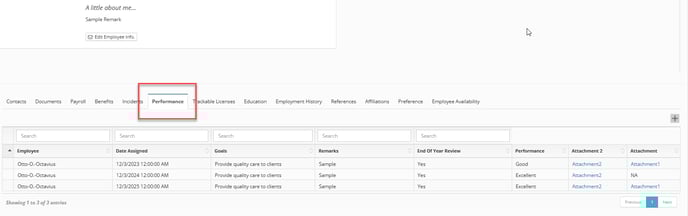
Here, we can see a list of all the performance reviews that were filed for your chosen employee.
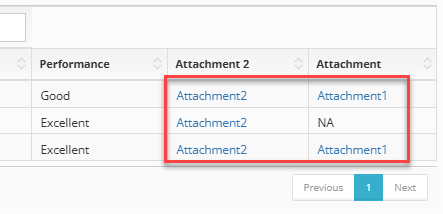
You can see the attachments that were entered into a performance review by clicking on the blue attachment text.
Adding Performance Review
To add a new performance review in Billiyo, we will click on the grey  plus sign. This will trigger a pop up where we can add your employee's performance review.
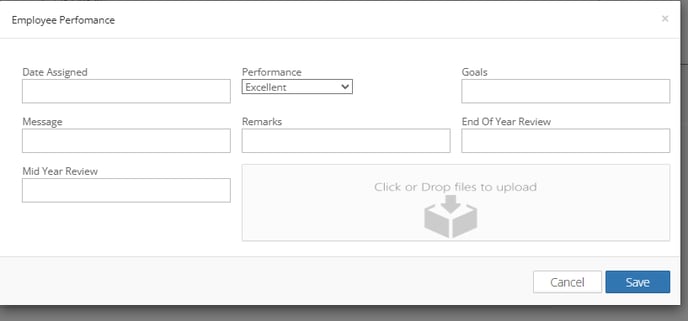
If you have a PDF of the employee's performance review, you can add it in the "Click or drop files to upload" box