![LOGO BLUE.png]](https://knowledge.billiyo.com/hs-fs/hubfs/LOGO%20BLUE.png?height=40&name=LOGO%20BLUE.png)
Table of Contents
Quick Notes
- An accrued minutes visit is a collection of non-15 minute increment time that together creates a full unit.
- The state of Missouri practices an accrued minutes visit (AMV) method, instead of rounding.
Setup
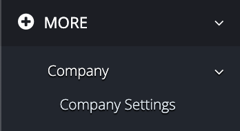
To enable/disable accrued minutes visits, head to the Company Settings page by clicking here or navigating in the left menu to:
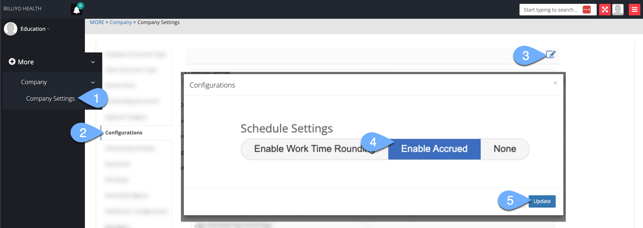
In the Configurations tab, click on the  icon. Then, on the pop-up that appears, locate the Schedule Settings heading.
- If Enable Accrued is highlighted in blue, this feature is turned on.
- If Enable Accrued is not highlighted in blue, this feature is turned off.
How This Feature Works
With the Enable Accrued feature turned on, as schedules are worked any time that doesn't fall into a complete 15-minute increment is automatically added to an accrual bucket.
Once a complete 15-minute increment can be made, when a timesheet is generated for a caregiver who works with the client, an accrued minute visit will be represented at the bottom of the timesheet.

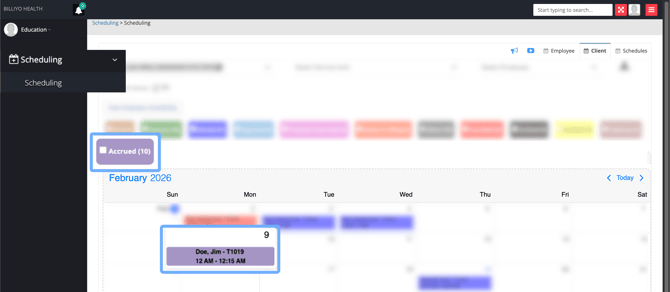
And, the system will automatically create a schedule for the accrued minutes visit — which will be visible in the Scheduling page, appearing in a light purple color.
- Only 1 accrued minutes visit can exist per day, per client and procedure code/modifier.
- Accrued minutes visits are created for the first eligible billable day on the timesheet they are generated in, and are billed together with regular visits within the timesheet.
- Accrued minutes visits are sent with reason code 280.
- Accrued minutes do not carry forward to the next month, they must be used in the month they are accrued.
Reporting
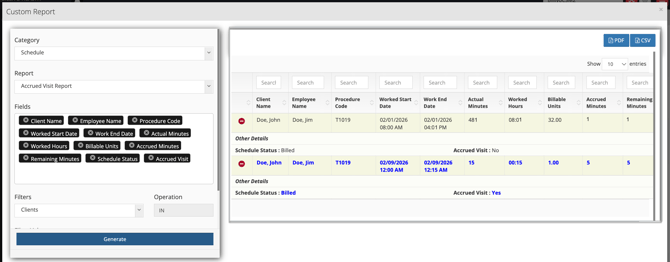
A report for accrued minutes visits is available, to access it head to Dynamic Report by clicking here or navigating in the left menu navigate to:
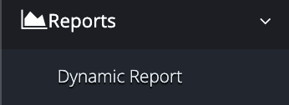
Within this page, click on the  button. Then, on the pop-up that appears, select the following information to start creating the report:
Category: Schedule
Report: Accrued Visit Report
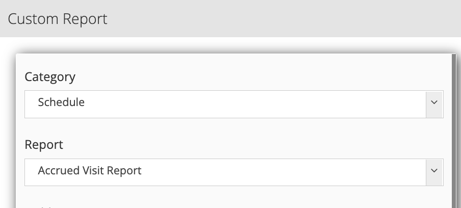
After selecting fields and filters, click on the  button.
In the report data that appears, accrued minutes visits are distinguished by blue colored text.